 0 min
0 min ASMR Typing & Keyboard Sounds
Start with a thocky keyboard video, the deeper, rounder sound, and switch to clicky only if you like crisp, high-pitched snaps. For sleep, pick a long no-talking video with a steady tempo.
For study, use a steadier, slightly faster one. Skip typing ASMR if sudden sharp sounds make you flinch, and try rain or soft speaking instead.
Clicky, thocky or creamy
- Clicky: a sharp, high snap on every key. Pick it if crisp sounds are your trigger, but it can feel piercing over a long session.
- Thocky: deeper and more resonant, like a muffled knock. A sensible first choice.
- Creamy: smooth, buttery and soft with no bump or click. A good choice if you fall asleep to typing, since nothing sharp wakes you.
If thocky feels dull after a few sessions, try clicky. If it feels too stimulating for bed, try creamy.
Thicker keycaps tend to give a deeper, more muted tone, while thinner ones sound brighter. A creator who lists keycap details often cares about audio.
What makes a typing video good
- Binaural recording: you hear left and right separation. Mono recordings sound flat.
- Close microphone: you hear the finger on the key and the spring release. A plain keyboard recorded close often beats an expensive one recorded across the room.
- No hiss: constant background hiss louder than the quiet moments fights relaxation. You can usually tell within seconds.
Match the format to your goal
- Sleep: a long no-talking video with a steady tempo. One sudden burst of fast typing can wake you. Check the video in the daytime first, since some clicky boards that sound pleasant awake become irritating in bed.
- Study or deep work: a slightly faster, consistent rhythm, in shorter sessions. You can loop a video to match a work timer.
- Anxiety: medium pace with no talking. Avoid long pauses between bursts, which can leave room for worry.
No talking or roleplay?
Pure typing with no voice or music is what many fans prefer for sleep and focus, because there is nothing to follow in words. Some creators add soft-spoken roleplay, such as an office or study scenario.
That works if soft speaking is also a trigger for you. If voices pull you out of relaxation, stay with no-talking.
Tingles or just calm
Some people get scalp tingles from typing, and others feel only calm. Both are normal. Steady, purposeful typing works for many listeners, while random smashing does not.
How it compares
- Tapping is the closest relative. It is usually slower, with longer gaps. Typing fills silence more fully, which suits blocking out surroundings.
- Rain offers texture without a beat. Choose typing if you want a rhythm to follow.
- Scratching shares a similar textured quality. Switching between them can refresh a trigger that has gone flat.
Headphones and layering
Typing ASMR is designed for headphones. On speakers the sense of space collapses.
Earbuds with a good seal work well. See the headphone guide for what matters.
Some creators layer typing over rain, paper rustling or a cafe. If pure typing feels stark, a layered video is an easy way in. A cafe murmur under steady keys is a common pairing.
If it stops working
- Switch switch type, for example from thocky to clicky, for a while.
- Use it for something new: if it has been for sleep, try it for study.
- Take a break and use rain or no-talking videos, then come back.
Keep the volume low. It works when barely audible at the edge of your attention, and loud keys become stimulating.
Typing works as one tool in a rotation. Reach for white noise when you want formless sound, and see ASMR for studying and the triggers overview for more.
Live or recorded
Recorded videos are edited for even sound. Live typing streams are less polished, with natural pauses and speed changes, which some listeners find more human. Live ASMR is worth a try if you have run out of recorded content.
See also no-talking ASMR, ambient sounds, and the ASMR microphone and ASMR gear and tools guides if you want to record your own.
What the research says
No study that we found has tested typing sounds. The advice above is common listener practice, not tested results.
Best typing ASMR videos
0 min ![ASMR Keyboard Clicky VS Keyboard Madu! [Roblox Indonesia] #shorts](https://i.ytimg.com/vi/mpyk0XKUCo8/mqdefault.jpg) 0 min
0 min ASMR Keyboard Clicky VS Keyboard Madu! [Roblox Indonesia] #shorts
 1h 31m
 ASMR 15 Keyboards with Fast Typing for Studying & Works🌞(4K, No Talking)
 0 min
0 min ⌨️🫧Cleaning ASMR #thrifting #thriftfinds #cute #pink #keyboard #kawaii #cleaning #goodwill
 0 min
0 min ASMR It’s the cute blue keycaps again! 🩵
 0 min
0 min 6 WEEKS of typing Wimbledon 🎾🥎 | ASMR Art #art #satisfying
 0 min
0 min Clacky, creamy or thocky? #theultimatenerd #gamingsetup #keyboard #asmr
 0 min
0 min Typing Trick ( Code 1F3C2) | #asmr #keyboard #laptopvspc
 0 min
0 min #asmr Which bread keyboard do you prefer?
 4h 6m
4h 6m ASMR Ultra Satisfying Compilation For Sleep 이 영상을 틀면 당신의 수면이 달라집니다
 5 min
5 min ASMR keyboard sounds ( NO TALKING)
 9 min
9 min Steelseries Apex Pro ASMR Chill🤩Satisfying Keyboard Fortnite Omnipoint Switch 240 FPS Smooth 4K
 0 min
0 min Excel tricks | #computer #typing #keyboard #asmr #tricks #fasttypingkeyboard
 0 min
0 min perfect little nostalgia moment🫶🏼 #asmr #asmrvideo #asmrsounds #shorts #keyboard #retro
 0 min
0 min Typing Trick (Code 221E) | #computer #typing #keyboard #asmr #tricks #fasttypingkeyboard
 0 min
0 min Ms Paint Trick! #asmr #computer #windows #keyboard #tricks #gaming #mspaint
 3h 19m
 The Perfect ASMR Video 유튜브에서 가장 나른하고 졸린 ASMR 1위
 0 min
0 min my new iPad keyboard 💕 ASMR mechanical keyboard | iPad accessories | digital planner
 2h 41m
 💖rating my best fidget boards asmr compilation | sanriolve
 39 min
 ))Your Relaxation Application(( RolePlay, ASMR, Typing, Crinkling
![ASMR Typing on 3 Different Keyboards [Black Widow, Ornata Chroma, Apple]](https://i.ytimg.com/vi/_vDHvPd8zaY/mqdefault.jpg) 30 min
30 min ASMR Typing on 3 Different Keyboards [Black Widow, Ornata Chroma, Apple]
 47 min
 ASMR | Clicky Typing & Whispering & Tapping | 60fps
 0 min
0 min $1,000 keyboard! ⌨️ #asmr
 41 min
 ASMR Hotel Check-In Roleplay with Typing, Writing, and Paper Sounds
 30 min
 /// Library ASMR: Typing, Page Flipping, Soft Spoken ///
![[Cozy ASMR ☁] typing on 9 different Keyboards (no mid-roll ads)](https://i.ytimg.com/vi/U7Y50T7NKyw/mqdefault.jpg) 54 min
54 min [Cozy ASMR ☁] typing on 9 different Keyboards (no mid-roll ads)
 1h 40m
 Extremely Relaxing Keyboard Typing ASMR (no speaking)
 0 min
0 min Typing at 290 WPM?! #monkeytype #typing #speedtyping #keyboard #asmr
 3h 55m
 ASMR Best Keyboards Compilation for Sleep 😴⌨ 키보드 소리 모음집은 이 영상 하나면 충분합니다
 3h 19m
 ASMR Extremely Relaxing 9 Keyboard Typing for Study & Work ⌨️✨ 3Hr (No Talking)
 52 min
 Library ASMR / Typing / Page Flipping / Stamping / Plastic Crinkles / Hand Movements
![[AD] ASMR This keyboard sounds satisfying to type on! [AD]🩷](https://i.ytimg.com/vi/JidhxMVFw_c/mqdefault.jpg) 0 min
0 min [AD] ASMR This keyboard sounds satisfying to type on! [AD]🩷
 0 min
0 min $1,000 keyboard unboxing! 😳⌨️ #asmr
 16 min
 ASMR Mechanical KEYBOARD ⌨️Typing Sounds 💤NO TALKING for SLEEP
 0 min
0 min Best Keyboard Sounds?😭🙌🏻 #asmtingles #asmr #shorts
 0 min
0 min $1 vs $1000 Keyboard ASMR!
 2h 59m
 ASMR | Not AI. Just Real Honey Keyboard Sounds 🍯
 5 min
5 min *ASMR* Clicky Keyboard Tower ~ Roblox! •⤙• 🤍🌷
![[Cozy ASMR] 2h typing on 5 different keyboards ☁️](https://i.ytimg.com/vi/l4XclA2-FKg/mqdefault.jpg) 2h 0m
2h 0m [Cozy ASMR] 2h typing on 5 different keyboards ☁️
 1h 16m
 Typing Chewing Gum ASMR Eating Sounds 1 Hr +
 33 min
 Trident Typing ASMR Eating Sounds At Home Feel
 4 min
4 min (roblox asmr ☁️) Rainforest Tower 🌿 but it's very RELAXING...
![[Cozy ASMR] 3h typing on ceramic - 5 different keyboards ☁️✨](https://i.ytimg.com/vi/OMDlag_b3X8/mqdefault.jpg) 3h 6m
3h 6m [Cozy ASMR] 3h typing on ceramic - 5 different keyboards ☁️✨
 0 min
0 min ranking realistic satisfying ai keyboard asmr
 25 min
 ASMR | Speed Typing / Testing 3 Mechanical Keyboards | Clicky, Satisfying, Typing Test
 21 min
 Satisfying Keyboard Cleaning. ASMR Sounds
 0 min
0 min Can you read this fast? (300 WPM) #monkeytype #speedtyping #typing #keyboard #asmr
 18 min
 SteelSeries Apex Pro TKL ASMR 😴 Unreal Ranked 🏆 Satisfying Keyboard Fortnite 360 FPS 4K
 1h 13m
 ASMR Extremely Calming Triggers for Those Who Need Deep Sleep (Typing, Squishy, Rare Triggers, etc)
 1h 6m
1h 6m ASMR 10 Lubed Keyboards with Fast Typing for Studying, Works, Relaxing🌞(Custom Keyboards, 4K)
![[ASMR] Actually Typing On Keyboard In Japanese With Acrylic Nails | Mechanical Keyboard, No-Talking](https://i.ytimg.com/vi/oUCoYjg51Mw/mqdefault.jpg) 49 min
49 min [ASMR] Actually Typing On Keyboard In Japanese With Acrylic Nails | Mechanical Keyboard, No-Talking
 35 min
 ASMR | LED Keyboard Clicking, Typing, Touching & Brushing + Soft Speaking Ramble
 30 min
 ASMR Library | Scanning / Stamping / Typing / Writing (Whispered & Soft Spoken)
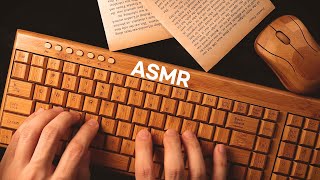 50 min
 ASMR Extremely Relaxing Wooden Keyboards Typing Sounds 나무 키보드 타이핑 소리로 감히 당신을 재울수 있음
 40 min
 Dreams Hotel | Relaxing ASMR Check-In Desk | Typing, Fabrics, Soft spoken
![$1 vs $1,000 Keyboard [ASMR]](https://i.ytimg.com/vi/RgJY6ZchawM/mqdefault.jpg) 37 min
37 min $1 vs $1,000 Keyboard [ASMR]
 0 min
0 min $1 keyboard vs $100 keyboard ⌨️ #asmr
![roblox asmr 🌙 but it's 2 HOURS OF KEYBOARD ASMR [aesthetic towers ✨]](https://i.ytimg.com/vi/VWBe_g_o6zQ/mqdefault.jpg) 2h 8m
2h 8m roblox asmr 🌙 but it's 2 HOURS OF KEYBOARD ASMR [aesthetic towers ✨]
![[ASMR] 비오는 날 우산쓰면 들리는 키보드 소리 (feat. 도마)](https://i.ytimg.com/vi/ci8jWrzVVrQ/mqdefault.jpg) 1h 2m
1h 2m [ASMR] 비오는 날 우산쓰면 들리는 키보드 소리 (feat. 도마)
 1 min
1 min 【AI ASMR】Sweets Keyboard Typing スイーツキーボード
 37 min
 ASMR Testing 63 Different Clicky Keys | Super Switch Mechanical Keyboard Tester
 22 min
 ASMR Sounds: Typing on a Mechanical Keyboard
 2h 4m
2h 4m ASMR 15 Keyboards Typing Sounds 2H for Studying & Works🌞 (Lubed, Custom Keyboards)
 3h 23m
 АСМР 3ч 🍃 ВЕЧЕРНЯЯ РУТИНА ТРАВНИЦЫ 🌿 Идеальный Фон Для Сна | ASMR Herbalist's hut 3 hour
 3h 4m
3h 4m Deep Focus with Mechanical Keyboard Typing | Clean ASMR for Work and Study
 42 min
 roblox asmr 🌙 but it's TOWER OF COFFEE KEYBOARD ASMR (10+ KEYBOARDS!)
 0 min
0 min I just broke the 10 word world record! #typing #speedtyping #monkeytype #keyboard #asmr
 8 min
8 min SK61 ASMR Chill🤩 Satisfying Gameplay Keyboard Fortnite 390 FPS Smooth 4K
 1h 5m
1h 5m rating my fidget boards asmr 💕compilation ❄️2024 | sanriolve
 48 min
 ASMR Autumn Lodge Check-in (Soft Speaking, Typing, Crackling Fireplace)
 1 min
1 min ASMR CREAMY VS CLACKY KEYBOARDS ⌨️ #asmr #shortsvideo #shorts #shortsfeed #keyboard #tingles
![[ASMR] 비오는 날, 키보드 소리 l 토프레 무접점 타건 2탄 (feat. 레오폴드 FC660C 윤활 45g)](https://i.ytimg.com/vi/1oPzMgZgDPk/mqdefault.jpg) 1h 2m
1h 2m [ASMR] 비오는 날, 키보드 소리 l 토프레 무접점 타건 2탄 (feat. 레오폴드 FC660C 윤활 45g)
 1h 0m
1h 0m 1 HOUR real time late night study with me #1 (no music) 🌙 ipad, keyboard + pencil asmr, bg noise
 9h 28m
 ASMR The Best Keyboard Typing Compilation EVER 마음이 편안해지고 불안을 진정시키는 키보드 소리 모음집
 8 min
8 min HyperX Alloy Origins 60 ASMR Chill🤩 Satisfying Gameplay Keyboard Fortnite 390 FPS Smooth
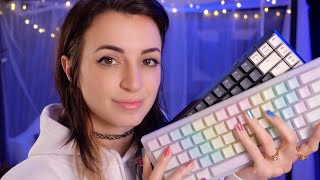 31 min
 ASMR | 3 Mechanical Keyboards Typing Test + Bonus Triggers
 31 min
 ASMR - Restoring your Tingles!! (latex, foam, mechanical keyboard, lid, brushing, writing, tapping)
 57 min
 Aluminum Keyboard Collection | Cozy ASMR (no mid-roll ads) ☁
 8 min
8 min Razer Huntsman Mini ASMR Chill🤩 Competitive Gameplay🏆Satisfying Keyboard Fortnite 240 FPS Smooth 4K
 16 min
 ASMR FORTNITE KEYBOARD AND MOUSE SOUNDS
 1h 0m
1h 0m 1 Hour Typing - Cherry MX Blue Switch Sound ASMR Mechanical Keyboard
 1h 0m
1h 0m Creamy Keyboard ASMR (no mid-roll ads)
 2h 22m
 Cottagecore Keyboard Typing For Cozy Relaxation (ASMR no speaking)
 29 min
 ASMR- Asking You EXTREMELY Personal Questions Pt.3 😈⌨️ (KEYBOARD SOUNDS)
 23 min
 ASMR | Interviewing You (Lots of Typing)
 1h 1m
1h 1m Anne Pro 1 Hour Keyboard Typing Sounds ASMR (No talking, No music, No mid-roll ads)
 1h 2m
1h 2m SK61 1 Hour Keyboard Typing Sounds ASMR (No talking, No music, No mid-roll ads)
 10 min
 ASMR DIY FRUITS RICE CAKE *STRAWBERRY, MANGOSTEEN, EDIBLE BUTTON, ROPE JELLY 과일 화과자, 무지개 단추, 젤리국수 먹방
 23 min
 We Recreated AI ASMR in Real Life...
 3h 38m
 YOU will SLEEP to this ASMR video 들으면 바로 곯아 떨어지는 ASMR
 11 min
 Dreamhack + Endgame Highlights (Steelseries Apex Pro ASMR)
 1h 6m
1h 6m ASMR Keyboard Typing YOU to 100% Sleep ⌨️ 당신의 불면증을 치료해줄 쫀득한 키보드 소리
 25 min
 ASMR Sweet Receptionist Roleplay (typing sounds, soft spoken, writing, phone calls)
 1h 2m
1h 2m ASMR Mahogany Lodge Hotel Check In (typing, crackling fire)
 9 min
9 min Steelseries Apex Pro ASMR Chill🤩Satisfying Keyboard Fortnite Omnipoint Switch 240 FPS Smooth 4K
 1h 28m
 ASMR Extremely Relaxing Keyboard Typing Triggers for Deep Sleep 100% 😴 당신이 애타게 찾던 보글보글한 키보드 소리
 1h 15m
 ASMR Actually Typing On A Keyboard W Tips Of Nails, No-Talking || Scratching & Tapping Keyboard ASMR
 2h 21m
 Top 1 Best Keyboard Typing ASMR Video Ever Made ⌨️ 적당한 속도로 귀에 착착 감기는 키보드 타이핑 소리
 41 min
 TYPING ON MACBOOK PRO KEYBOARD FOR 40 MINS NO-TALKING ASMR || LONG BLACK HOLO ACRYLIC NAILS TYPING
 12 min
 ASMR RAINBOW POP IT, JELLY KEYBOARD, PUSH POP, WATER DRINKING SOUNDS MUKBANG 먹방
Related triggers
Use typing ASMR for
Where to buy
| Item | Why it fits | ||
|---|---|---|---|
| Wired over-ear headphones | Wired two-channel sound for binaural recordings, no Bluetooth lag. | See on Amazon | |
| Headband sleep headphones | Flat speakers in a soft headband, made for wearing in bed. | See on Amazon | |
| Small Bluetooth speakers for the nightstand | Plays sound into the room, so nothing presses on your ears. | See on Amazon |
As an Amazon Associate, ASMR Registry earns from qualifying purchases. Links open Amazon search results. We have not tested these products.
Frequently asked questions
Why might typing ASMR help me sleep?
Many listeners find a steady, predictable rhythm easy to relax into. Choose a long no-talking video with a consistent tempo. This is a personal report, not a tested effect.
Which keyboard sound should I try first?
Start with thocky, the deeper sound. Move to clicky if you like crisp snaps, or creamy if you want the smoothest sound for bed.
Can typing ASMR help me study?
Some people use steady, no-talking typing at low volume as background while reading or writing. It suits tasks that do not need listening or speaking.
Why do I get nothing from typing videos?
You may be listening on speakers or to a mono recording. Try headphones and a close, binaural video. If sharp sounds make you flinch, try rain or soft speaking.
- Test a sleep typing video in the daytime first, because some clicky keyboards sound pleasant awake but irritating when you are trying to drift off.
- Check the first few seconds of any typing video with headphones on and skip it if you hear constant hiss between keystrokes.
- Set the volume lower than you think you need, so the typing sits at the edge of your attention instead of being stimulating.
- Try a binaural video with earbuds before writing off typing sounds, since mono recordings on phone speakers lose most of the spatial detail.